
7 Genius Smart Home Alexa Routines Every New Parent Needs to Set Up Now
Welcome to parenthood. It’s a world of profound love, incredible joy, and, let’s be honest, overwhelming chaos. Between the endless cycle of feeding, changing, and soothing, you’ve likely wished for an extra set of hands. While we can’t offer you that, we can offer the next best thing: a smart, voice-activated assistant that never needs to sleep. Your Amazon Alexa device is more than just a speaker for playing lullabies; it’s a powerful tool that, with a little setup, can become an indispensable member of your parenting support team.
As a doula and maternal health educator, I’ve seen firsthand how small efficiencies can make a monumental difference in the well-being of new parents. Reducing friction in daily tasks frees up precious mental and physical energy, allowing you to focus on what truly matters: bonding with your baby. In this guide, we’ll walk you through seven specific, genius-level Alexa routines. These aren’t just novel tricks; they are practical, stress-reducing automations designed to support you through the most demanding moments of the newborn phase. Prepare to reclaim your hands and your sanity.
Routine #1: The ‘Code Brown’ Hands-Free Diaper Station Assistant
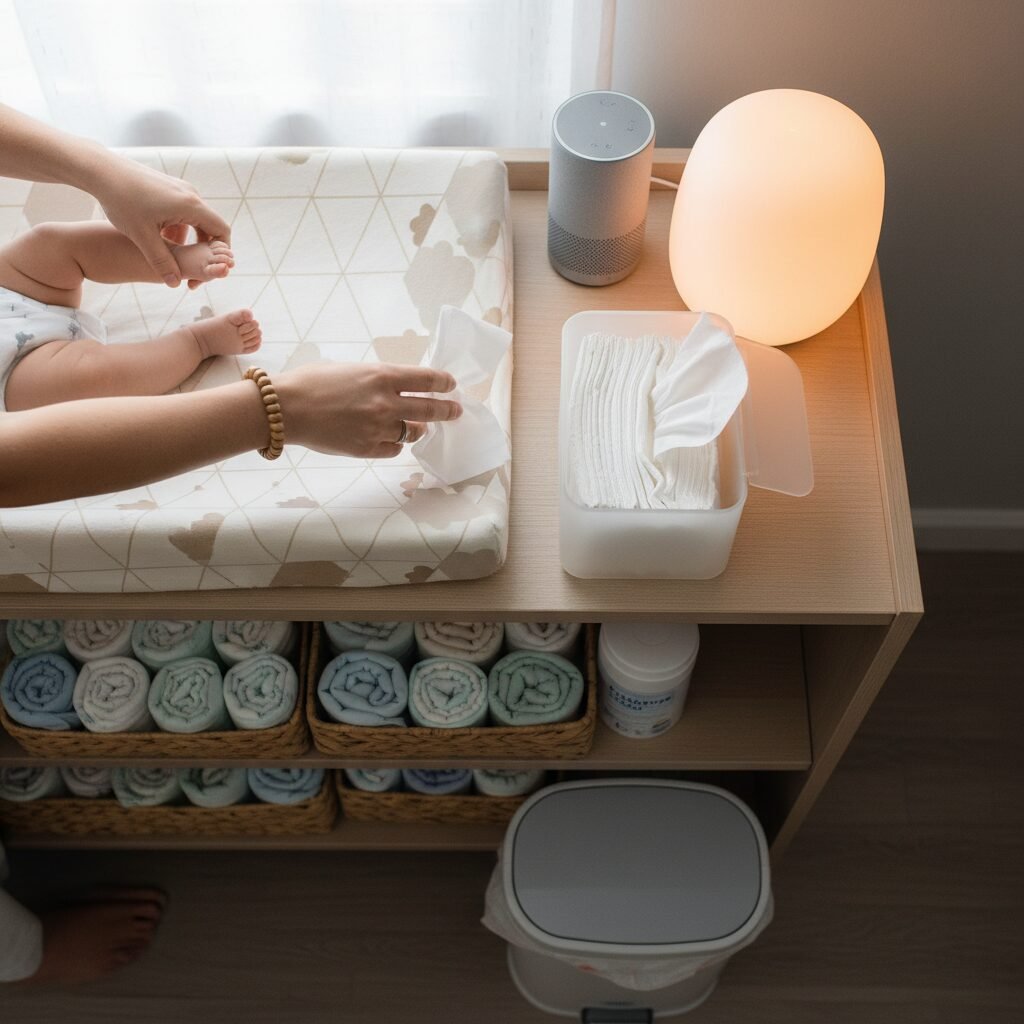
There’s a moment every new parent knows well: you’re mid-diaper change, your hands are… compromised, and you realize you need more light, a distraction for a fussy baby, or a fresh pack of wipes from the closet. Instead of calling for help or attempting a precarious one-handed maneuver, this routine turns your changing station into a smart, responsive environment.
How It Works:
This routine is triggered by a simple, memorable phrase that instantly activates a series of helpful actions, making diaper changes smoother and less stressful.
Setup Steps:
- Choose Your Trigger Phrase: In the Alexa app, navigate to Routines and create a new one. For the ‘When this happens’ trigger, select ‘Voice’ and type in a phrase like, “Alexa, it’s a code brown,” or “Alexa, time for a diaper change.”
- Add Your Actions: This is where the magic happens. Add the following actions in order:
- Lighting: If you have a smart bulb or smart plug connected to a lamp near the changing table, add an action to turn it on to a specific brightness (e.g., 70%). This ensures you have enough light to see what you’re doing without being jarring for the baby.
- Music/Sound: Add an action to play a specific playlist or sound. This could be a ‘Calm Baby’ playlist on Amazon Music or Spotify, or even just simple white noise to help soothe your little one.
- Optional – Announce: Use the ‘Messaging’ -> ‘Announcement’ action to have Alexa say something like, “Diaper change in progress. Reinforcements may be needed!” This can be a fun way to alert your partner if they are in another room.
- Optional – Supplies Reminder: Use the ‘Wait’ action for 1 minute, then add a ‘Messaging’ -> ‘Send Notification’ action to your phone that says, “Check diaper and wipe stock.” This helps you remember to restock after you’re finished.
Expert Tip: Use a smart bulb that allows for color changes. A soft, warm yellow or orange light is less stimulating for a baby’s developing eyes, especially during late-night changes.
Routine #2: The ‘3 AM Feed’ Soothing Ambiance Routine

Waking up for middle-of-the-night feedings is a biological necessity, but fumbling for your phone flashlight or flipping on a harsh overhead light can jolt both you and your baby wide awake. This makes it harder for everyone to fall back asleep. The goal of this routine is to create a calm, dimly lit, and peaceful bubble for you and your baby, preserving the sleepy atmosphere of the night.
How It Works:
With a single voice command from your bed, you can prepare the room for a feeding session, keeping the lights low and the mood tranquil.
Setup Steps:
- Choose Your Trigger Phrase: Create a new routine with a voice trigger like, “Alexa, it’s time for a feed,” or “Alexa, hungry baby.”
- Add Your Actions:
- Dim Lighting: This is the most critical step. Add an action for your smart lamp or bulb in the nursery (or your bedroom) to turn on to its lowest possible brightness setting (e.g., 5% or 10%). Choose a warm color temperature if possible. The goal is just enough light to see, not enough to signal ‘daytime’ to your baby’s brain.
- Start a Soundscape: Add an action to play a specific sound. Avoid anything with lyrics or complex melodies. Simple white noise, the sound of rain, or a gentle instrumental lullaby playlist works best. Set a sleep timer for the music by adding another action: ‘Wait’ for 60 minutes, then ‘Music’ -> ‘Stop Music’.
- Log the Feeding (Optional but Recommended): For parents tracking feedings, this is a game-changer. Add an action for a third-party skill like ‘Baby Connect’ or ‘Huckleberry’. The action would be a custom command like, “Tell Baby Connect we started nursing.” This logs the start time without you ever needing to find your phone.
This routine not only helps with the practical aspects of feeding but also supports the creation of a positive sleep association. The consistent, gentle environment signals to your baby that this is a quiet, sleepy activity, not playtime.
Routine #3: The ‘Operation Naptime’ White Noise & Blackout Routine

Consistent naps are the cornerstone of a healthy sleep schedule for a baby, but creating the perfect sleep environment can involve multiple steps: drawing the curtains, turning on the sound machine, and tiptoeing out of the room. This routine automates the entire process, transforming the nursery into a sleep sanctuary with one command, ensuring a consistent environment for every single nap.
How It Works:
When you say the magic words, Alexa will simultaneously darken the room and start the white noise, creating powerful sleep cues for your baby.
Setup Steps:
- Prerequisites: This routine is most effective with smart blackout blinds/curtains and a smart plug for your sound machine (or you can just have Alexa play white noise directly).
- Choose Your Trigger Phrase: Set a voice trigger like, “Alexa, it’s nap time,” or “Alexa, Operation Naptime.”
- Add Your Actions:
- Darken the Room: If you have smart blinds, add an action to ‘Close Blinds’. This is a fantastic investment for light-sensitive sleepers.
- Turn on White Noise: Add an action to turn on the smart plug connected to your dedicated white noise machine. Alternatively, use the ‘Play’ action to have the Echo device itself play white noise. You can specify the sound, for example, “Play brown noise.” Brown noise is often considered deeper and more soothing than traditional white noise.
- Set Volume: Immediately after the play action, add a ‘Device Settings’ -> ‘Volume’ action to set the white noise to a consistent, safe level (usually around 50-60 decibels).
- Dim Lights: Add an action to turn off all smart lights in the room.
By automating these steps, you create a powerful and repeatable sequence that acts as a strong signal to your baby’s brain that it is time to sleep. This consistency can significantly improve nap quality and duration.
Routine #4: The ‘I Need an Extra Hand’ Broadcast & Timers Routine

You’re holding a sleeping baby, and the remote is across the room. You’re pinned under a nursing infant, and you’re thirsty. You’re trying to time ‘tummy time’ but can’t reach your phone. These are the moments when a voice assistant truly shines. This routine is less about ambiance and more about pure, practical, hands-free utility.
How It Works:
This isn’t a single routine but a collection of commands and simple routines to help you manage tasks when your hands are full.
Key Commands and Setups:
- Broadcast for Help: This is a native Alexa feature. Simply say, “Alexa, broadcast ‘can someone bring me the water bottle from the kitchen?'” This message will play on all other Echo devices in your home. You can create a routine for a common request. Trigger: “Alexa, I’m stuck.” Action: ‘Messaging’ -> ‘Announcement’ -> “I’m with the baby and need a hand, please come to the nursery.”
- Hands-Free Timers: This is essential for new parents. You don’t need a routine, just the habit of using the command. Use it for:
- Feeding Times: “Alexa, set a 15-minute timer for nursing.”
- Tummy Time: “Alexa, set a 3-minute tummy time timer.”
- Parental Timeouts: “Alexa, set a 5-minute timer for a deep breathing break.”
- Shopping List Management: The moment you notice you’re low on diapers, don’t wait. Say, “Alexa, add diapers to the shopping list.” This is a sanity-saver that prevents that dreaded 10 PM realization that you’re on your last one.
Mastering these simple, direct commands can feel like you’ve cloned yourself. It reduces the mental load of remembering small items and the physical struggle of trying to do everything while holding your precious cargo.
Routine #5: The ‘Did I Feed the Baby?’ Smart Logging Routine
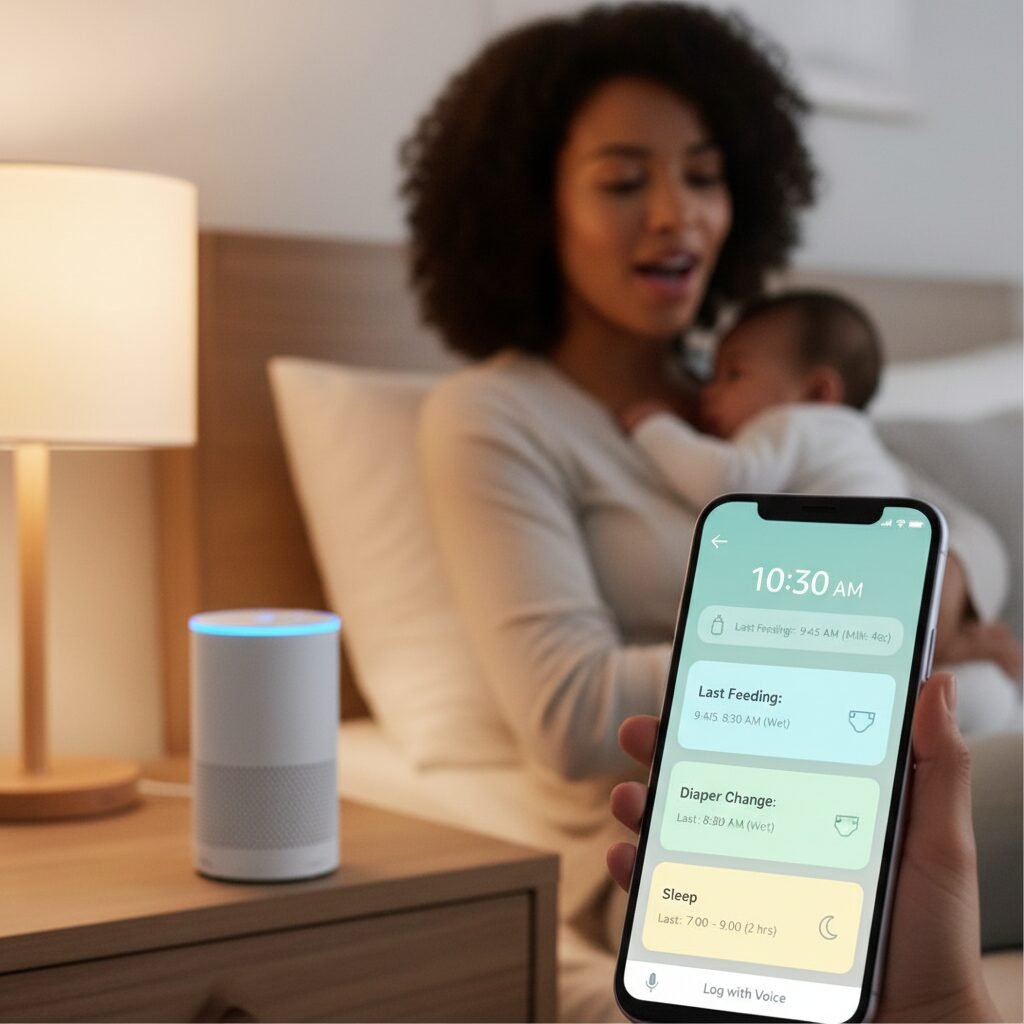
In the blurry haze of the fourth trimester, time becomes a flat circle. Trying to remember when the last feeding was, which side you nursed on, or if that was the third or fourth wet diaper of the day can feel like an impossible task. This advanced routine outsources your memory to Alexa, allowing you to log crucial data with your voice, in the moment.
How It Works:
This routine integrates Alexa with a third-party baby tracking app or a simple spreadsheet, creating a seamless, voice-activated log of your baby’s activities.
Setup Steps (Using a Third-Party Skill):
- Choose and Link a Skill: In the Alexa app, go to ‘Skills & Games’ and search for a baby tracking app you use, such as ‘Baby Connect’, ‘Huckleberry’, or ‘Baby Log’. Enable the skill and link it to your account for that app.
- Create Simple Routines for Common Logs: While you can use the skill directly (e.g., “Alexa, tell Baby Connect I started feeding”), creating a routine with a simpler phrase is easier to remember when you’re sleep-deprived.
- Trigger: “Alexa, log a feeding.”
- Action: Select ‘Skills’ -> ‘Your Skills’ -> [Your Chosen App Skill]. Then, you can often enter the custom command you’d normally say, like “log a nursing session.”
- Trigger: “Alexa, wet diaper.”
- Action: ‘Skills’ -> [Your Chosen App Skill] -> Custom command: “log a wet diaper.”
Alternative Setup (Using IFTTT and Google Sheets):
For the tech-savvy parent, you can create a more customized logger using IFTTT (If This Then That).
| Step | Action |
|---|---|
| IF THIS (Trigger) | Connect your Amazon Alexa account. Use the trigger ‘Say a specific phrase’ (e.g., “log a diaper”). |
| THEN THAT (Action) | Connect your Google account. Use the action ‘Add row to spreadsheet’ in Google Sheets. You can have it log the phrase and the timestamp in a new row. |
This method provides a simple, running log that you and your partner can access from anywhere. It removes the stress of memory and provides valuable data for pediatrician visits.
Routine #6: The ‘Mama’s Five Minutes’ Self-Care Routine

In the whirlwind of caring for a newborn, a parent’s own needs are often relegated to the bottom of the list. But you cannot pour from an empty cup. Carving out even just five minutes of intentional calm can be restorative. This routine is designed to help you quickly create a space for a moment of peace, a mindful reset amidst the chaos.
How It Works:
This routine is your personal ‘do not disturb’ button. It transforms your environment into a relaxing space, signaling to both yourself and your family that you are taking a brief, necessary pause.
Setup Steps:
- Choose Your Trigger Phrase: Select a phrase that feels empowering. “Alexa, I need a moment,” or “Alexa, start my quiet time.”
- Add Your Actions:
- Set the Mood with Light: Add an action to change your smart lights in the living room or bedroom to a calming color, like a soft blue or warm lavender, and dim them to 30%.
- Play Calming Audio: Add an action to play a specific playlist, like ‘Calm Meditation’ on a music service, or a soundscape like ‘Babbling Brook’.
- Set a Timer: Immediately add an action to set a timer for 5 or 10 minutes. This defines the break and gives you a clear end point.
- Announce the Break (Optional): If you have a partner at home, add a ‘Messaging’ -> ‘Announcement’ action that says, “Mom is taking a 5-minute wellness break. Please handle any non-emergencies.” This communicates your needs clearly and without confrontation.
Affirmation for New Parents: Taking time for yourself is not selfish; it is a necessary part of being a resilient and present parent. You are worthy of rest and peace, even if only for a few minutes at a time.
Use this routine when the baby finally naps, or when your partner takes over. It’s a powerful tool for managing stress and preventing parental burnout.
Routine #7: The ‘Good Morning, Baby’ Gentle Wake-Up Routine

A sudden burst of bright light or a loud noise can be a jarring way for anyone to wake up, especially a baby. A gentle transition from sleep to wakefulness can set a more positive tone for the entire day. This routine mimics a natural sunrise, gradually introducing light and soft sound to ease your baby into the morning.
How It Works:
Instead of being triggered by voice, this routine is best set on a schedule. It will run automatically at your desired wake-up time, creating a consistent morning rhythm.
Setup Steps:
- Choose Your Trigger: In the Alexa app, create a new routine and select ‘Schedule’ for the trigger. Set the time you’d like the wake-up sequence to begin (e.g., 7:00 AM) and select the days of the week.
- Add Your Actions (The Fade-In): The key here is to use ‘Wait’ actions to create a gradual effect.
- Initial Light: Add an action to turn on the nursery’s smart light to 1% brightness in a warm white color.
- Wait: Add a ‘Wait’ action for 5 minutes.
- Increase Light & Add Sound: Add an action to increase the light’s brightness to 20%. Then, add an action to play a ‘Peaceful Morning’ playlist or ‘Classical for Babies’ at a very low volume (e.g., level 2).
- Wait Again: Add another ‘Wait’ action for 5-10 minutes.
- Full Brightness & Normal Volume: Add a final action to increase the light to 80% brightness and the music volume to a moderate level (e.g., level 4).
- Optional – Weather Report: As a final step, you can have Alexa announce the day’s weather forecast, so you know how to dress your baby for the day.
This gentle, automated wake-up call helps regulate your baby’s circadian rhythm and provides a much more peaceful start to the day for the entire family compared to an abrupt awakening.
Conclusion
Bringing a new baby home is a profound life change, and it’s essential to build a support system that works for you. While that system is primarily built on people—your partner, family, and friends—don’t underestimate the power of technology to act as a reliable, tireless helper. These seven Alexa routines are more than just tech tricks; they are a way to automate care tasks, reduce your mental load, and reclaim moments of peace and efficiency in your day.
Start by implementing one or two routines that address your biggest pain points. As you grow more comfortable, you can customize them and even create your own. Remember, every bit of stress you can offload, every task you can make hands-free, is a victory. It gives you more bandwidth to be present, patient, and connected with your new baby. You are doing an incredible job, and it’s okay to lean on every tool available to make this beautiful, challenging journey just a little bit smoother.